Tech
GPT Image 2: A Simpler Way to Turn Ideas Into Visual Content

Creating visuals used to be one of the more time-consuming parts of content work. Whether it was designing graphics, editing images, or trying to match a specific style, it often took longer than expected.
Recently, I spent some time exploring GPT Image 2, and what stood out wasn’t just what it can generate—but how easy it makes the whole process feel. Instead of overcomplicating things, it focuses on helping you move from idea to image as quickly as possible.
A More Natural Way to Create Images
When I first tried GPT Image 2, I expected the usual prompt-based experience where you type something and hope for a good result.
But it feels a bit more refined than that.
You can guide the output with:
- simple descriptions
- style references
- visual direction cues
This makes it easier to get closer to what you actually have in mind, rather than relying on random outputs. The results feel more intentional, which is important when you’re creating content for real use.
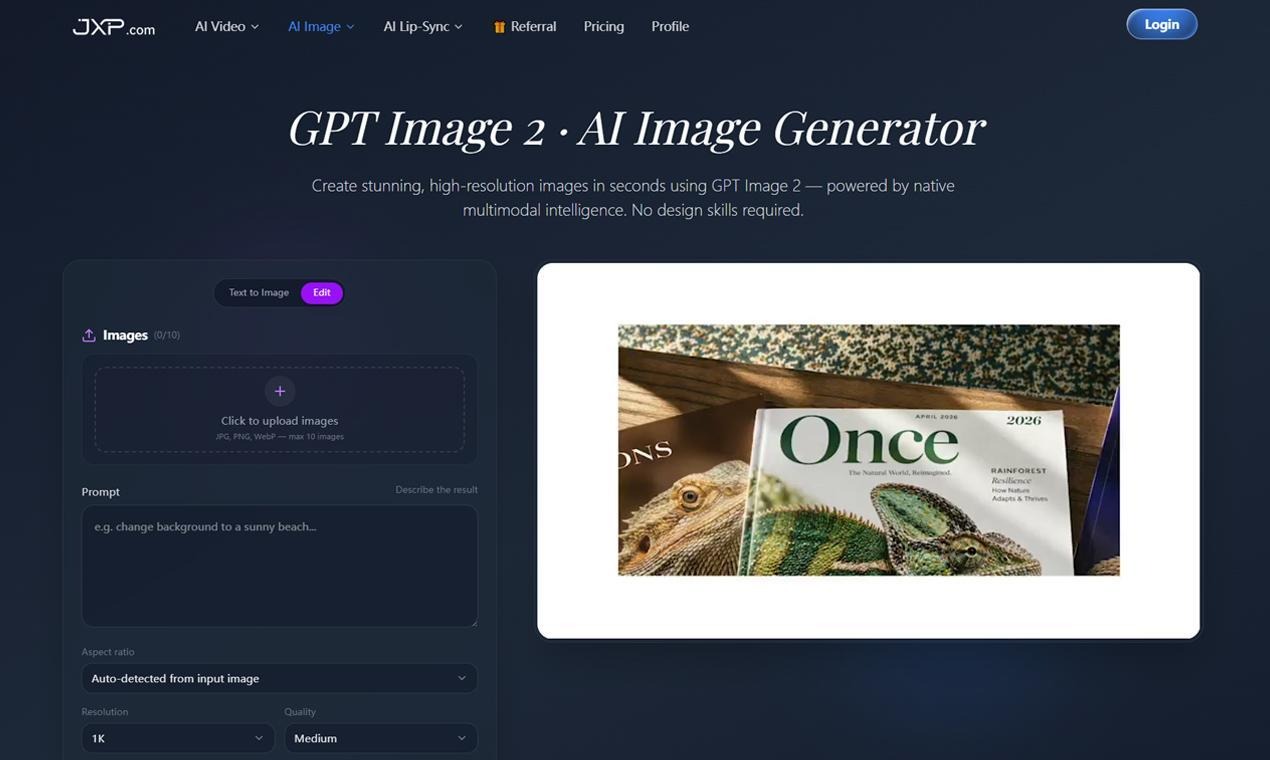
📸 Inside the Platform
The interface is clean and easy to navigate. There’s no steep learning curve, which makes it approachable even if you’re new to AI tools.
The process is straightforward:
- Enter your idea or prompt
- Adjust style or output preferences
- Generate and review the image
What I found useful is how quickly you can try variations. If something doesn’t look right, you can adjust and regenerate within seconds.
Where GPT Image 2 Stands Out
After testing different scenarios, a few things became clear.
The GPT Image 2 experience feels consistent. Instead of producing completely unpredictable results, it tends to stay aligned with your input.
Some noticeable strengths:
- cleaner visual outputs
- more consistent style interpretation
- faster iteration cycles
It’s not about creating perfect images every time—it’s about getting usable results quickly.
📸 What the Output Looks Like
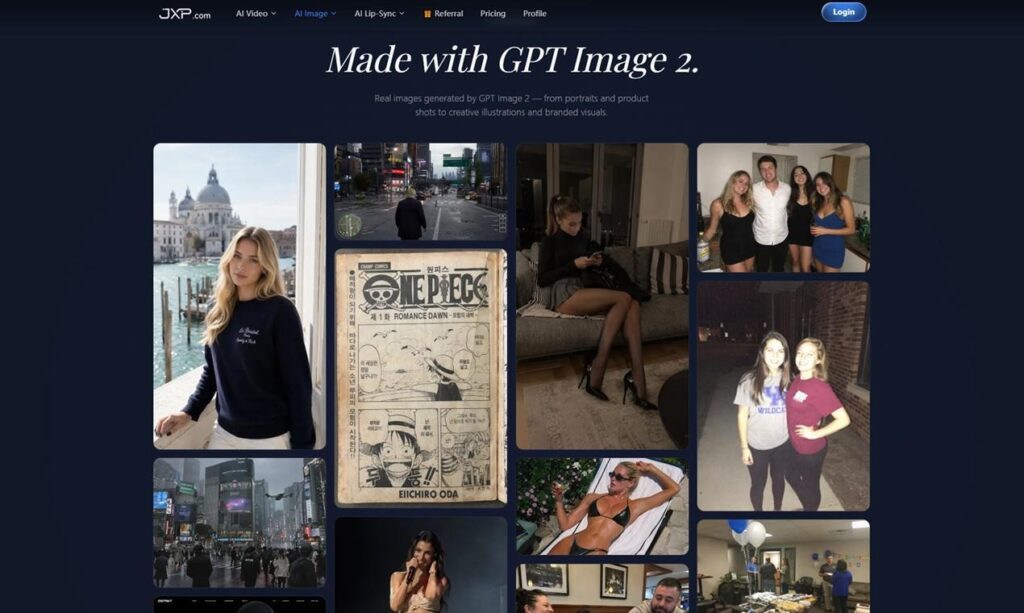
I tested a few common use cases, including blog visuals, simple concept images, and social media graphics.
In most cases, the output worked as a solid starting point. Instead of building everything from scratch, you get something that can be used directly or refined slightly.
That alone saves a lot of time, especially if you’re working on multiple pieces of content.
Practical Use in Everyday Content Work
After using GPT Image 2 for a while, it’s easy to see where it fits into daily workflows:
- creating visuals for blog posts
- generating quick social media graphics
- testing visual ideas before final design
- building simple branded content
Because it’s fast and easy to use, it works well when you need results without spending too much time on design tools.
A More Efficient Creative Process
One of the biggest advantages of tools like GPT Image 2 is how they reduce friction.
Instead of switching between tools or spending hours refining designs, you can move from idea to image in minutes. That makes it easier to experiment and try different approaches without overthinking the process.
Final Thoughts
After spending time with it, GPT Image 2 feels less like a complex AI system and more like a practical creative tool.
It doesn’t try to replace design entirely—but it does make it faster and easier to create visuals when you need them.
For anyone working with content regularly, it’s a simple way to speed up the process while still keeping control over the final result.


How to Spot a More Trustworthy Phone Tarot Service
Beware, the cult that victimized teenagers has brought its performances to Japan

How Does the FRM Exam Help Build a Career in Risk Analytics?

What Happens When You Stop Taking Ozempic For Weight Loss?

Generative Furniture Modeling Review 2026: Automating Prototyping Workflows
Why Healthcare Press Releases Need Regulatory Awareness
How to Turn Your Bahrain Registration Into a Competitive Advantage

Company License in Saudi Arabia: Matching Activity for UK Firms

AI Image Generators for Photography: Enhancing, Upscaling, and Creating

How-To Guide: The Most Effective Organic Methods to Scale Your Online Presence This Year
How to Spot a More Trustworthy Phone Tarot Service
Beware, the cult that victimized teenagers has brought its performances to Japan
How Does the FRM Exam Help Build a Career in Risk Analytics?
What Happens When You Stop Taking Ozempic For Weight Loss?
Generative Furniture Modeling Review 2026: Automating Prototyping Workflows
Why Healthcare Press Releases Need Regulatory Awareness
How to Turn Your Bahrain Registration Into a Competitive Advantage
Company License in Saudi Arabia: Matching Activity for UK Firms
AI Image Generators for Photography: Enhancing, Upscaling, and Creating
How-To Guide: The Most Effective Organic Methods to Scale Your Online Presence This Year

The Private World of Marina Pearl LeBlanc, Matt LeBlanc’s Only Child

What is Shoujo Ramune? The Comprehensive Guide

Who is Christina Erika Carandini Lee? Everything About Christopher Lee’s Daughter

Who is Amra Nor Jenkins? The Untold Story About Jeezy’s Daughter

The Untold Truth of William Mapel: A Deep Dive into His Personal Life

The Untold Story of Denika Kisty: Her Family, Net Worth, and More

The Rise of Ryan Nikolaos Sampras: From Humble Beginnings to Stardom

Who is Nicoletta Ruhl? Age, Family, Bio

William Givens Jensen Today: What We Know About Robin Givens’ Son

Who Is Stephanie Sarkisian? All You Need To Know AboutSteve Sarkisian’s Ex-Wife
-
 Celebrity1 year ago
The Private World of Marina Pearl LeBlanc, Matt LeBlanc’s Only Child
-
 Entertainment2 years ago
What is Shoujo Ramune? The Comprehensive Guide
-
 Celebrity2 years ago
Who is Christina Erika Carandini Lee? Everything About Christopher Lee’s Daughter
-
 Life Style2 years ago
Who is Amra Nor Jenkins? The Untold Story About Jeezy’s Daughter
-
 Celebrity2 years ago
The Untold Truth of William Mapel: A Deep Dive into His Personal Life
-
 Celebrity2 years ago
The Untold Story of Denika Kisty: Her Family, Net Worth, and More
-
 Celebrity2 years ago
The Rise of Ryan Nikolaos Sampras: From Humble Beginnings to Stardom
-
 Life Style2 years ago
Who is Nicoletta Ruhl? Age, Family, Bio