Tech
From Moodboards to Motion: How AI Video Drafting Is Evolving

Every content project starts with some kind of brief. It might be a product image, a campaign line, a moodboard, a short reference clip, or a note that says the video should feel “cinematic but simple.” The challenge is turning that loose direction into something people can actually watch and discuss.
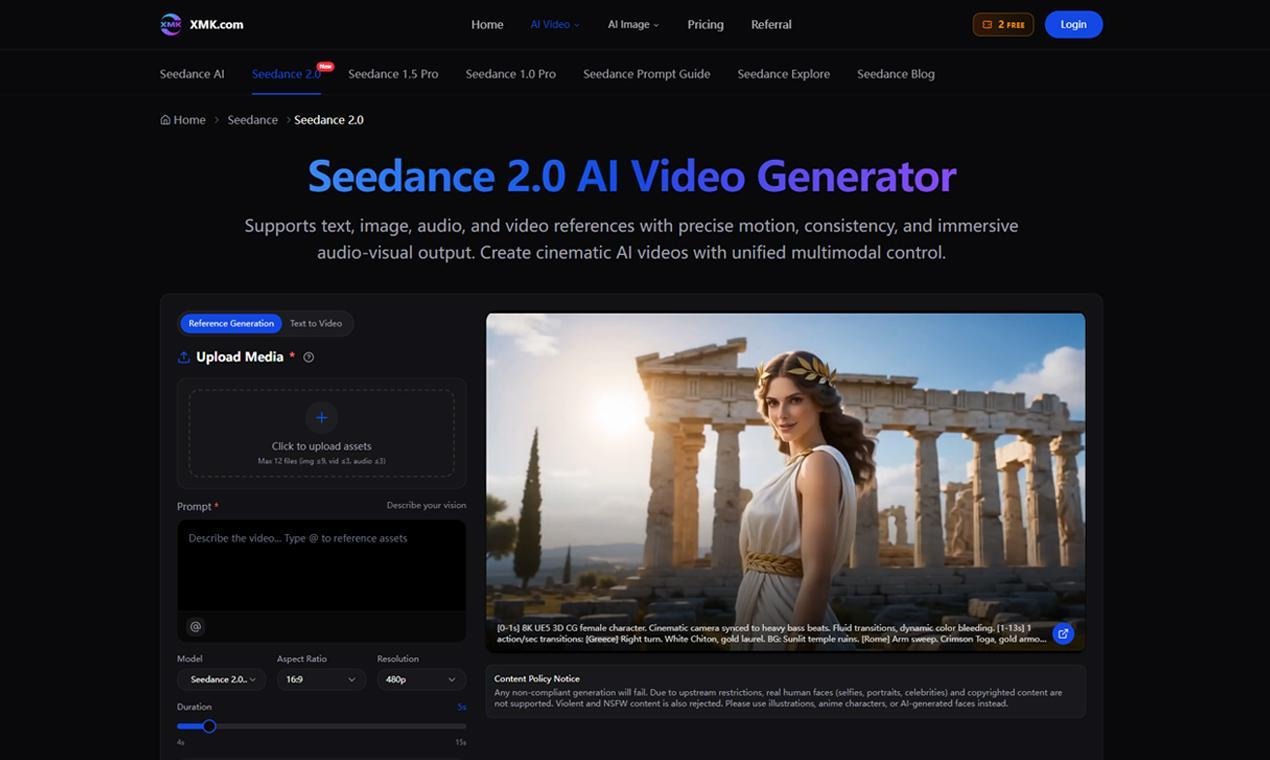
That is where Seedance 2.0 becomes useful to understand. It is an AI video generator that works with text, image, video and audio references, helping users create short video drafts from more than a plain prompt.
What Seedance 2.0 Does
Seedance 2.0 helps users generate short videos by combining written direction with uploaded creative assets. Instead of asking the system to guess everything from text, users can add references that guide the look, motion and timing of the result.
This matters for content teams because most briefs already contain useful material. A product photo can show what needs to stay accurate. A video reference can show the type of camera movement. An audio file can suggest rhythm or mood.
The result is not meant to replace every step of production. It can act as a first moving draft, which is often the hardest thing to get.
Why Prompts Alone Are Often Not Enough
Anyone who has tested AI video tools knows the odd feeling of seeing a clip that looks impressive but still misses the point. The camera might move too quickly. The product may not look quite right. The ending may not land the way the team imagined.
That usually happens because the tool has too little context.
With Seedance 2.0 AI Video Generator, users can upload up to 12 assets, including images, videos and audio files. These references make the brief more specific without forcing the user to write a very long prompt.
Turning a Brief Into a Video Draft
A practical Seedance 2.0 workflow can be simple.
Start with the core idea. For example, a skincare brand may want a calm product reveal for a landing page.
Add the strongest reference. That could be a clean product image, a short example of camera movement and a soft audio cue.
Write a prompt that explains the scene: a close-up product reveal on a bathroom counter, warm morning light, slow push-in camera movement, minimal background, soft ending.
Generate the clip and review it as a draft, not as a final answer. Does the product look right? Is the pacing close? Does the mood fit the campaign?
This turns the brief into something visual enough for feedback.
Where It Fits Best
Seedance 2.0 can be useful in several everyday content situations.
A creative agency can use it before a client meeting to show the rough feel of a campaign.
An ecommerce team can turn product photos into early video concepts for a Shopify page, marketplace listing or social ad.
A YouTube creator can test an intro or background scene before spending time editing.
A startup can use a simple explainer draft to see whether a product message is clear.
A social media team can compare different versions of the same hook before choosing one to refine.
Why Audio and Motion Matter
Short videos depend on timing. A product teaser, a fashion clip, a tutorial intro and a campaign preview all need different rhythm.
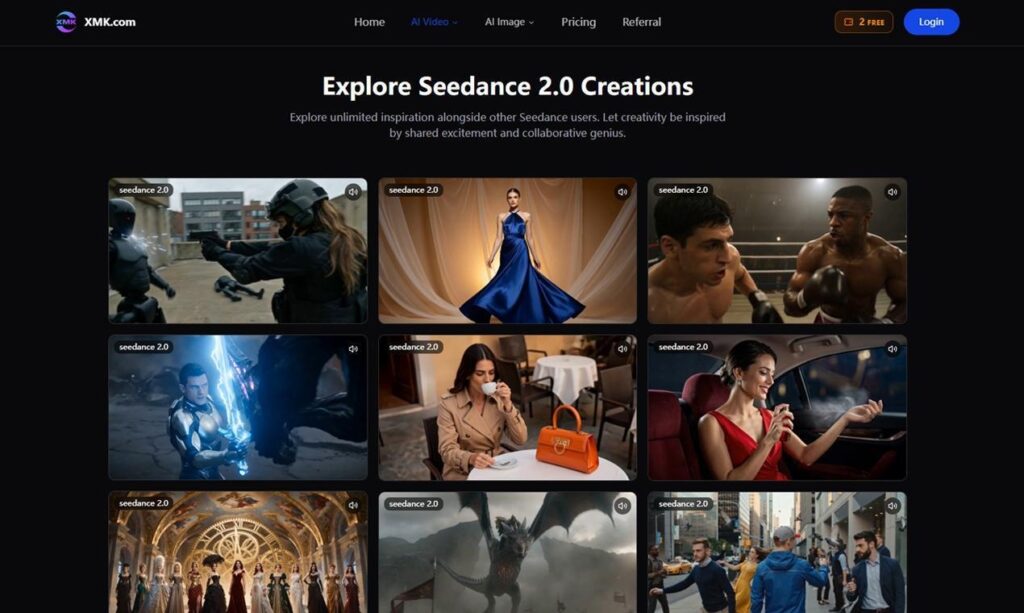
Seedance 2.0 highlights audio-video synchronization, motion control and immersive audio-visual output. That gives users a way to think about sound and movement while the draft is being created, not only after the visuals are finished.
This is useful because many drafts fail in small ways. The image may be strong, but the movement feels slow. The motion may work, but the audio mood feels wrong. Testing those elements earlier can save time.
Refining Without Starting Again
The first video draft rarely solves everything. A team may like the opening but want a longer ending. A creator may like the motion but need a cleaner transition.
Seedance 2.0 includes features such as video extension, merging clips, replacing characters and refining small segments without full regeneration. These tools can make revision less frustrating.
Instead of throwing away a near-good result, users can adjust the part that needs work.
A Few Tips for Better Results
Keep the first draft narrow. One product, one scene or one movement is easier to control than a full story.
Use clear references. Blurry images or confusing video clips will make the direction harder to follow.
Write the prompt like a short production note. Include subject, setting, camera movement, lighting, mood and ending.
Review the result with a practical eye. Ask whether the draft helps the team make a decision.
This is where creating AI videos with Seedance 2.0 becomes less about novelty and more about speeding up the early creative process.
What to Check Before Publishing
AI-generated video still needs human review. Seedance 2.0 includes a content policy notice covering unsupported real human faces, copyrighted content, violent content and NSFW material.
Before posting or presenting a generated clip, teams should check product accuracy, brand fit, rights, audio timing and whether the content suits the intended platform.
Final Thoughts
Seedance 2.0 is best understood as a tool for turning rough creative direction into visible drafts. It helps users move from “this is the idea” to “this is what the idea might look like.” For creators, agencies and content teams, that step can be valuable. A draft does not have to be perfect to be useful. It only needs to make the next decision easier.


How to Build a Timeless Personal Style in a World of Fast-Changing Fashion Trends

Healing the Whole Person: The Ultimate Guide to Dual Diagnosis Treatment at LIV Recovery Center

Do Watch Colors Match Seasons?

Choosing the Right Cavitation Machine: What Every Clinic Owner Should Know Before Buying

How to Spot a More Trustworthy Phone Tarot Service
Beware, the cult that victimized teenagers has brought its performances to Japan

How Does the FRM Exam Help Build a Career in Risk Analytics?

What Happens When You Stop Taking Ozempic For Weight Loss?

Generative Furniture Modeling Review 2026: Automating Prototyping Workflows
Why Healthcare Press Releases Need Regulatory Awareness
How to Build a Timeless Personal Style in a World of Fast-Changing Fashion Trends
Healing the Whole Person: The Ultimate Guide to Dual Diagnosis Treatment at LIV Recovery Center
Do Watch Colors Match Seasons?
Choosing the Right Cavitation Machine: What Every Clinic Owner Should Know Before Buying
How to Spot a More Trustworthy Phone Tarot Service
Beware, the cult that victimized teenagers has brought its performances to Japan
How Does the FRM Exam Help Build a Career in Risk Analytics?
What Happens When You Stop Taking Ozempic For Weight Loss?
Generative Furniture Modeling Review 2026: Automating Prototyping Workflows
Why Healthcare Press Releases Need Regulatory Awareness

The Private World of Marina Pearl LeBlanc, Matt LeBlanc’s Only Child

What is Shoujo Ramune? The Comprehensive Guide

Who is Christina Erika Carandini Lee? Everything About Christopher Lee’s Daughter

Who is Amra Nor Jenkins? The Untold Story About Jeezy’s Daughter

The Untold Truth of William Mapel: A Deep Dive into His Personal Life

Who is Nicoletta Ruhl? Age, Family, Bio

The Rise of Ryan Nikolaos Sampras: From Humble Beginnings to Stardom

The Untold Story of Denika Kisty: Her Family, Net Worth, and More

William Givens Jensen Today: What We Know About Robin Givens’ Son

Meet Dominique Boxley: Anthony Fantano’s Mysterious and Supportive Partner
-
 Celebrity1 year ago
The Private World of Marina Pearl LeBlanc, Matt LeBlanc’s Only Child
-
 Entertainment2 years ago
What is Shoujo Ramune? The Comprehensive Guide
-
 Celebrity2 years ago
Who is Christina Erika Carandini Lee? Everything About Christopher Lee’s Daughter
-
 Life Style2 years ago
Who is Amra Nor Jenkins? The Untold Story About Jeezy’s Daughter
-
 Celebrity2 years ago
The Untold Truth of William Mapel: A Deep Dive into His Personal Life
-
 Life Style2 years ago
Who is Nicoletta Ruhl? Age, Family, Bio
-
 Celebrity2 years ago
The Rise of Ryan Nikolaos Sampras: From Humble Beginnings to Stardom
-
 Celebrity2 years ago
The Untold Story of Denika Kisty: Her Family, Net Worth, and More